
Flag Football game management
Quick Start
Get up and running with Flag Huddle
This guide walks through Flag Huddle's main features:
1. Create Your Team
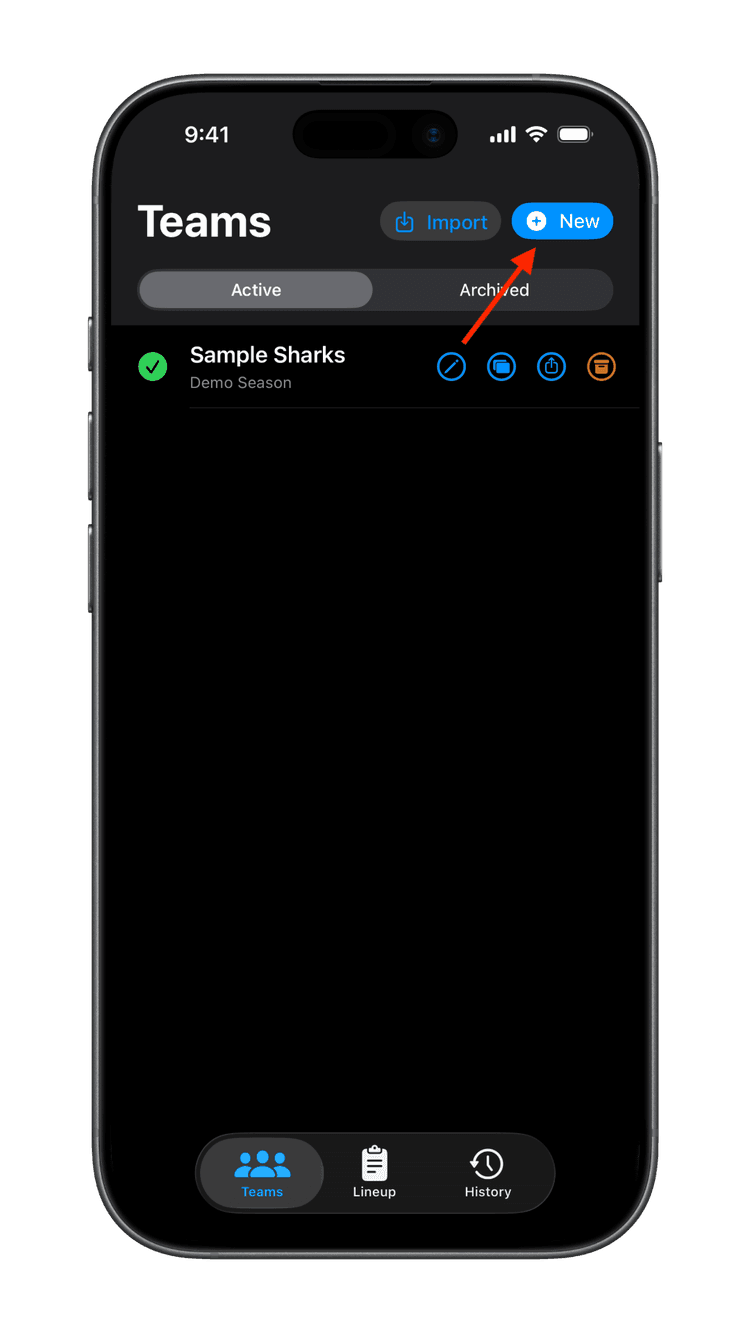
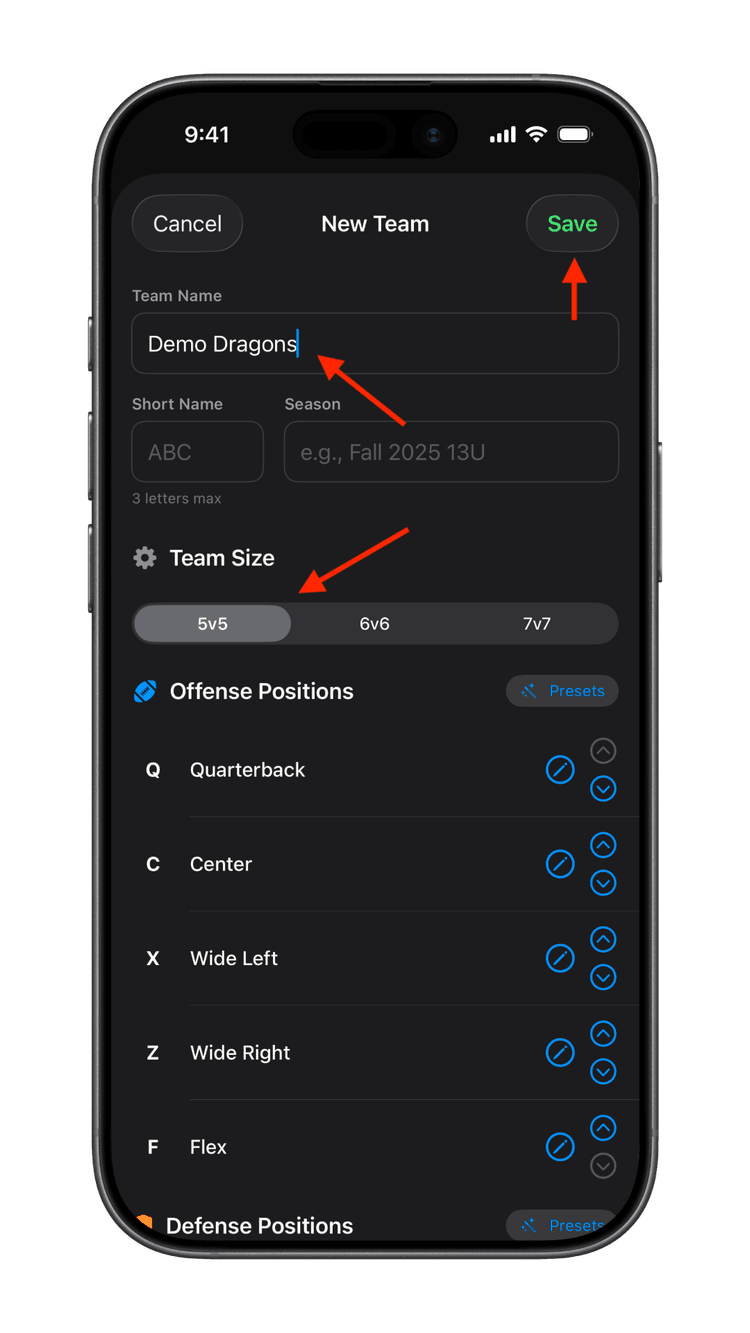
On the Teams screen, tap the "+ New" button to create a new team. Enter the Team Name, Short Name, and Season information. Also set the Team Size, then tap Save.
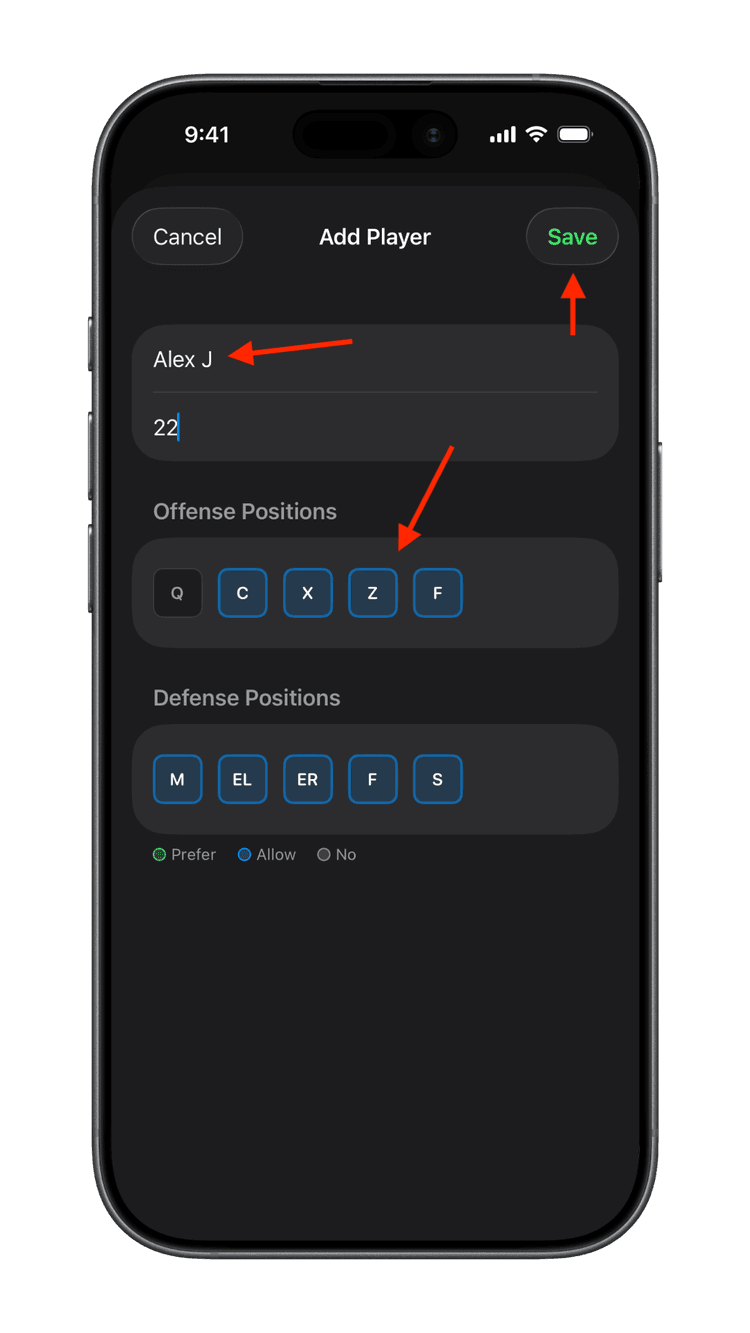
On the Players screen, tap the "+ Add" button to add a new player. Enter the Player Name, Position, and set that player's positions. You will want to make sure that at least one player on your team can play Quarterback, by tapping the Q position for that player. When you're done, tap Save.
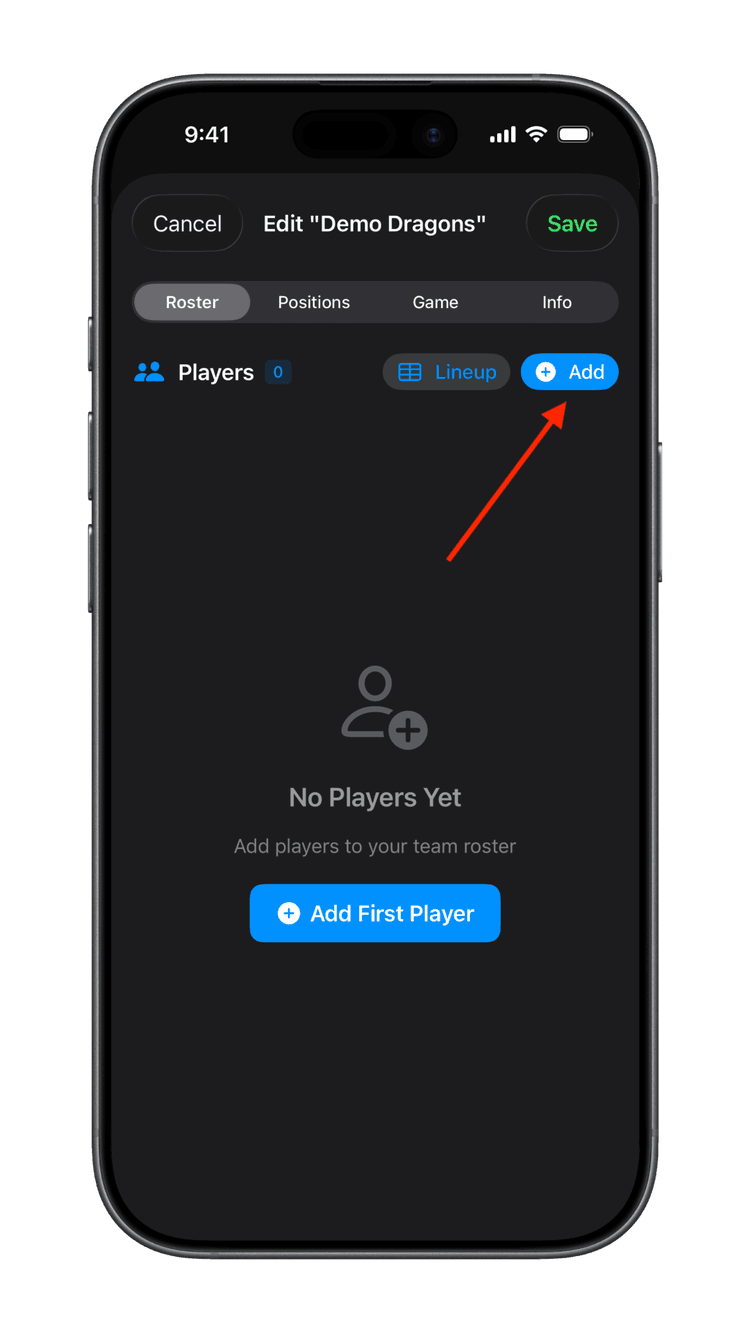
When you're done adding players, tap Save to save your team.
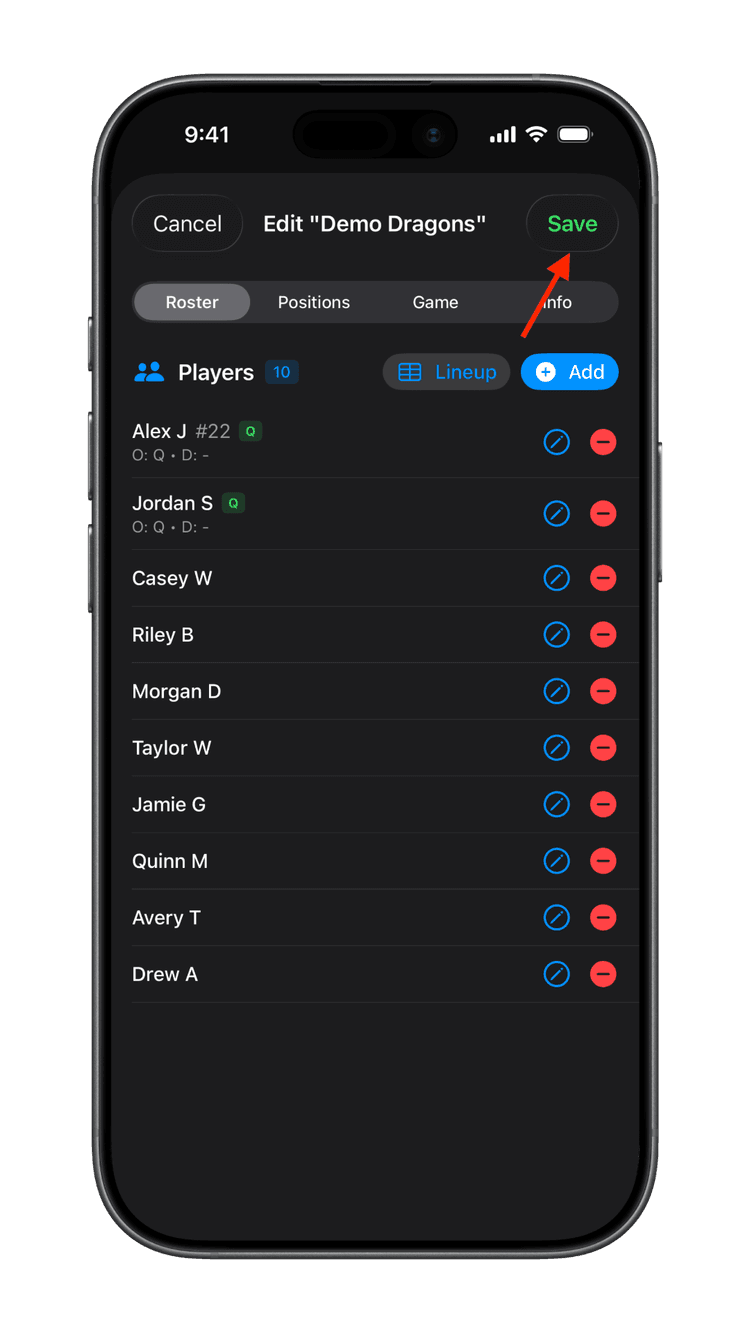
2. Set Your Lineup
Before kickoff, decide who's starting. Tap a player, then tap the position to add them to the lineup.
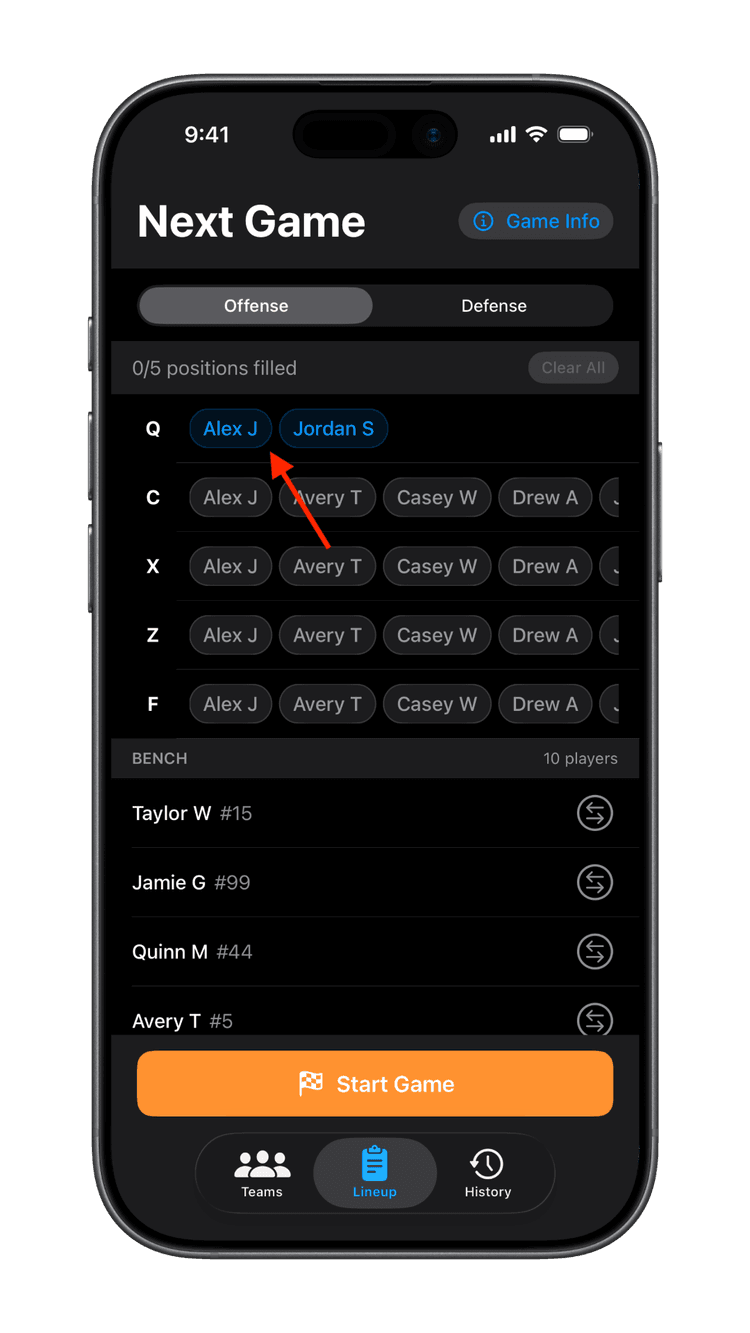
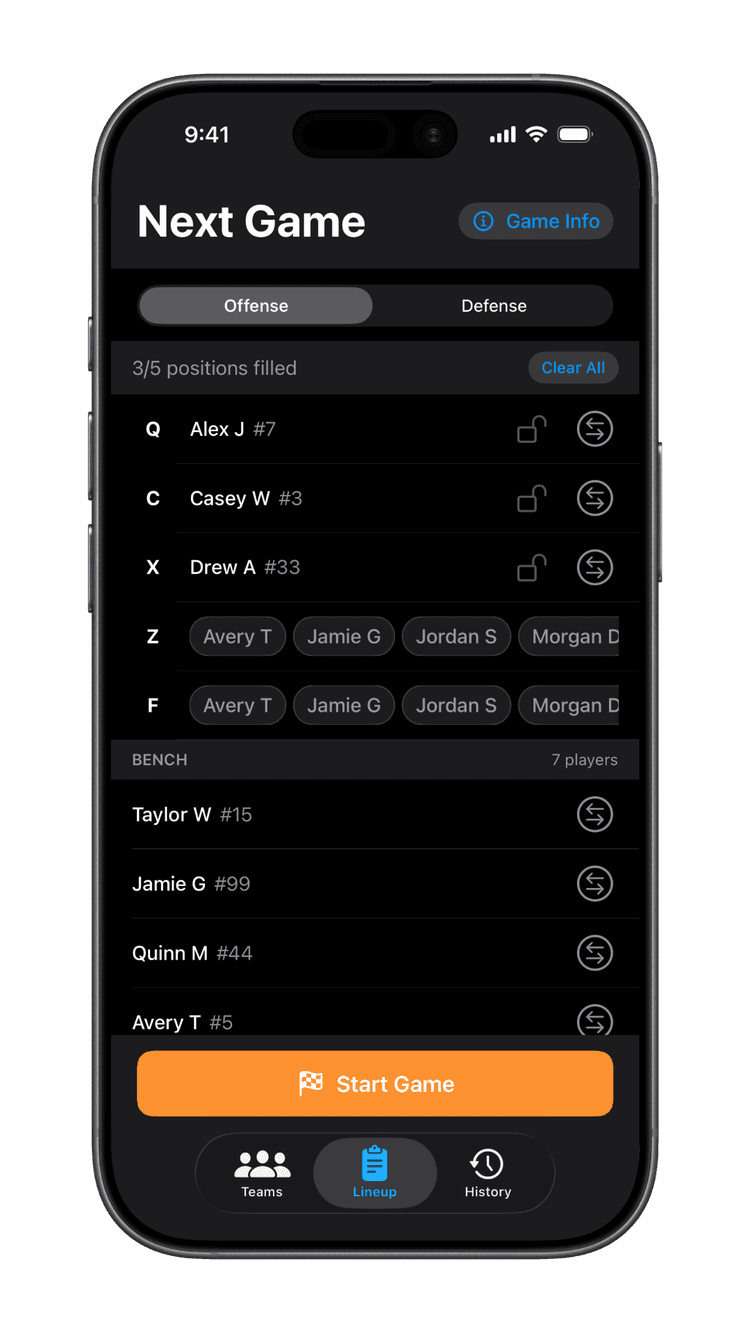
Fill out your starting lineup for both offense and defense. The Football badge indicates that a player is in the lineup on offense, and the Shield badge indicates that a player is in the lineup on defense. You can tap the lock icon to lock the player in the position (for example, if you have a primary quarterback).
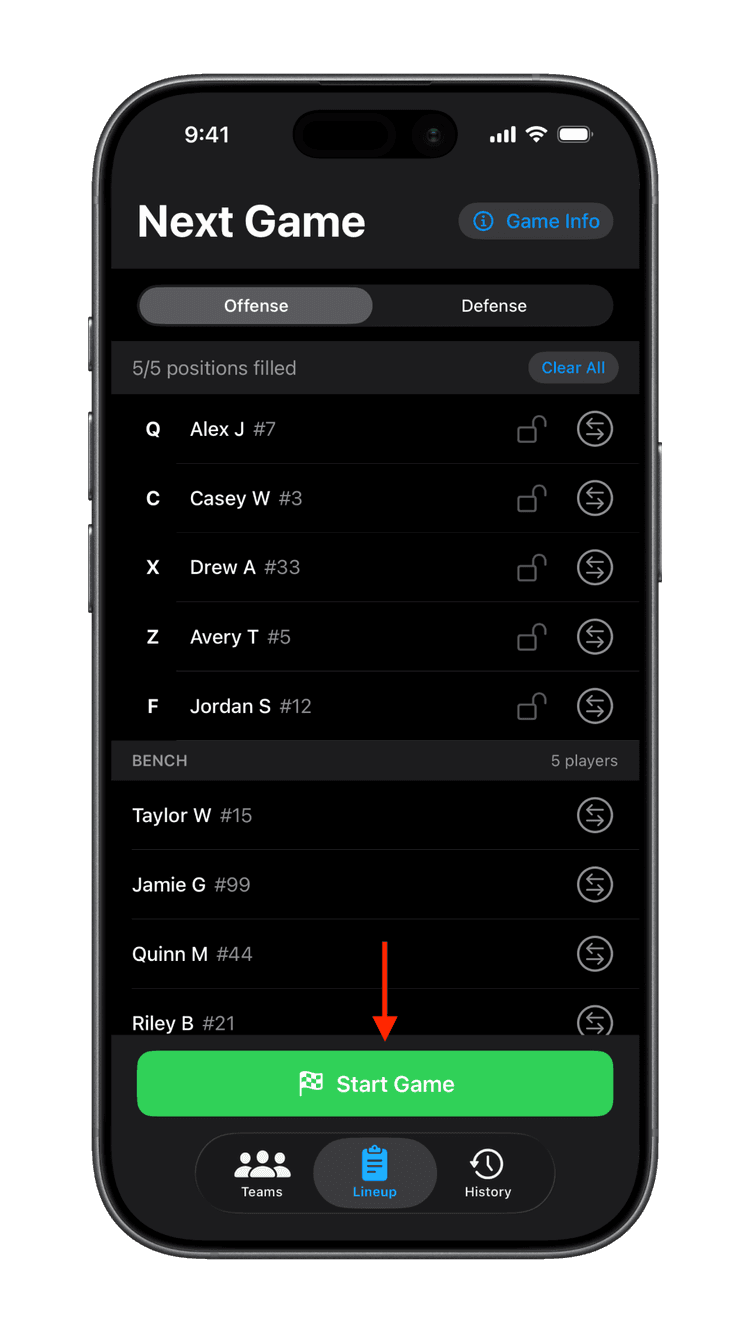
When it's game time, tap "Start Game" to begin keeping track of the game.
3. Coach the Game
Watch the walkthrough below to see how to coach a game from the coin toss to the final whistle.
When the game starts, choose which side you're starting on based on the coin toss.
On offense, you can quickly record a run or pass play for each player. The app will ask you for the result of the play.
When it's last down, you'll see the option to Punt.
The app handles turnovers and half-time transitions automatically. Quickly see who you are sending in and who is coming off the field.
On defense, track flag pulls and interceptions for your team. You can also tap the "Play" button at the top to record a score for the other team. Again, the app will ask you for the result of the play.
At the end of a half, tap the "Half" button at the bottom right to start the second half. And at the end of the game, tap the "Game" button at the bottom right to save the game.
And you're done! You can now review the game and share the stats with other coaches and parents.
4. Review & Share Stats
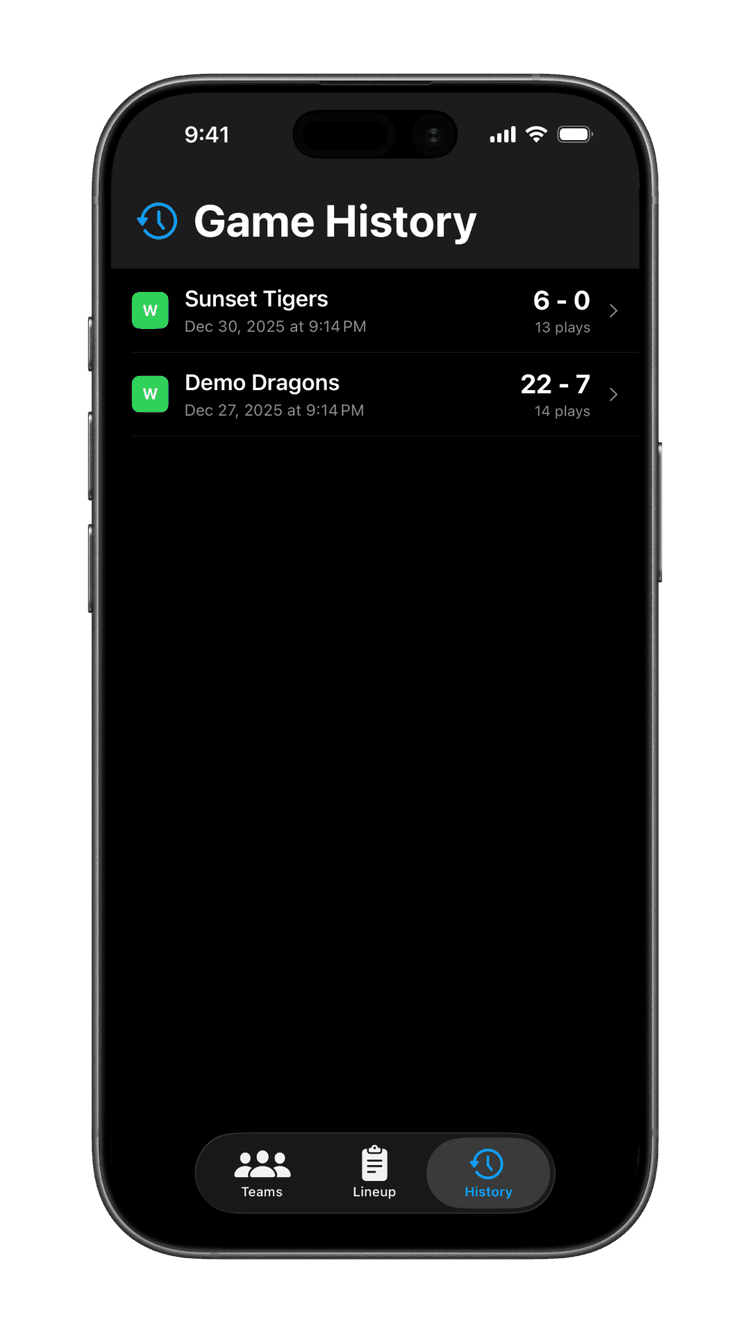
After the game, go to History and tap any game to see detailed stats.
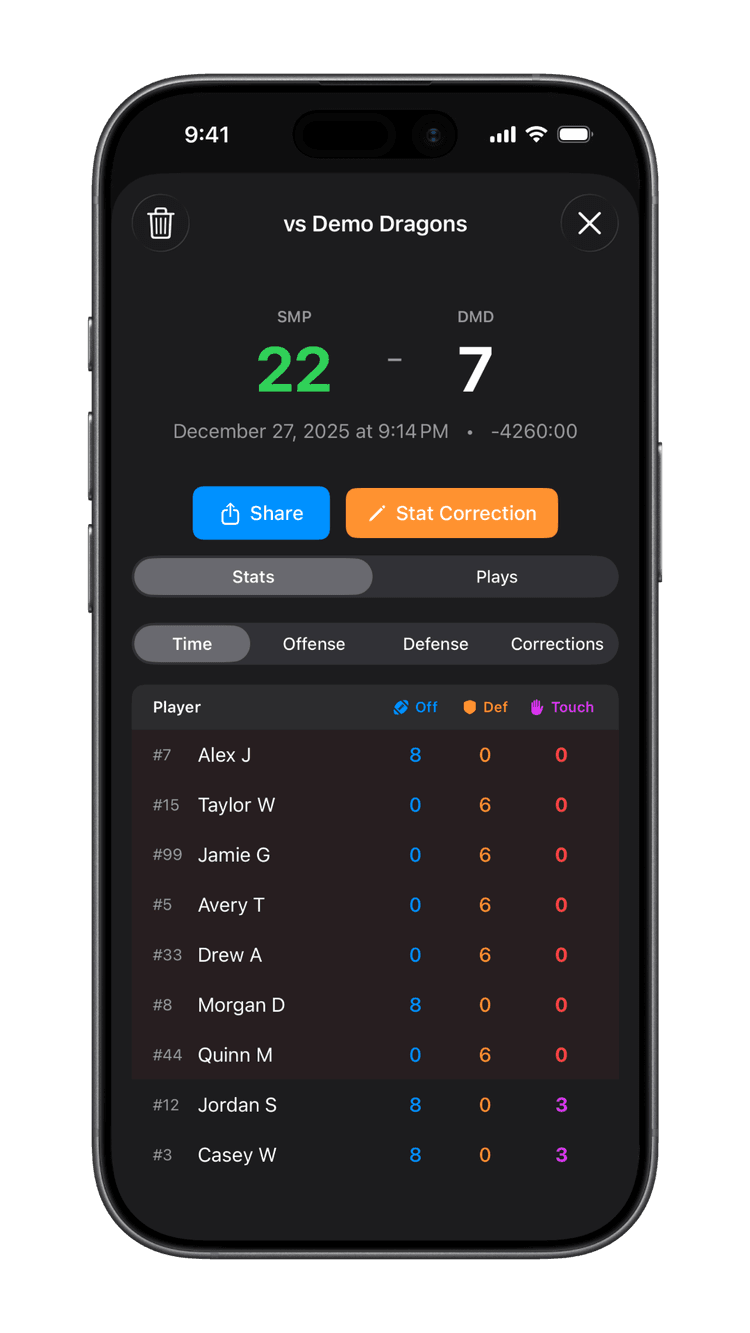
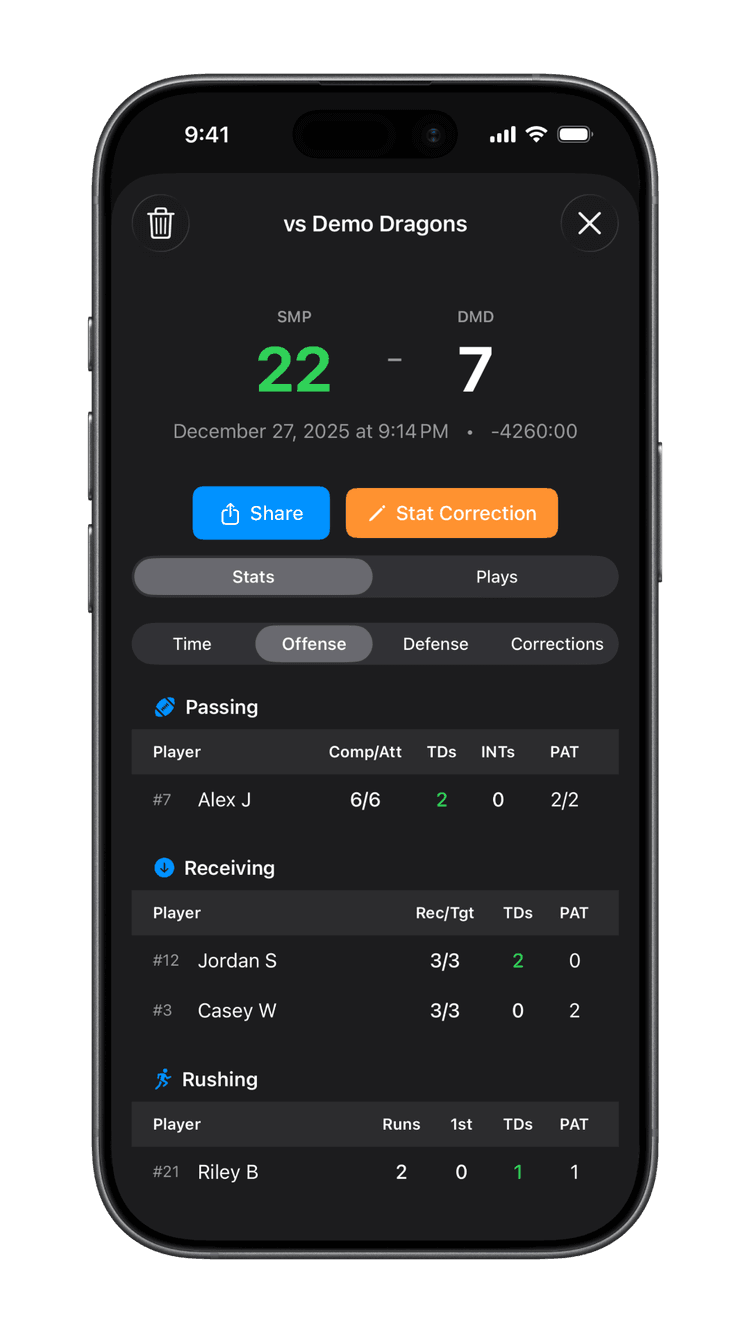
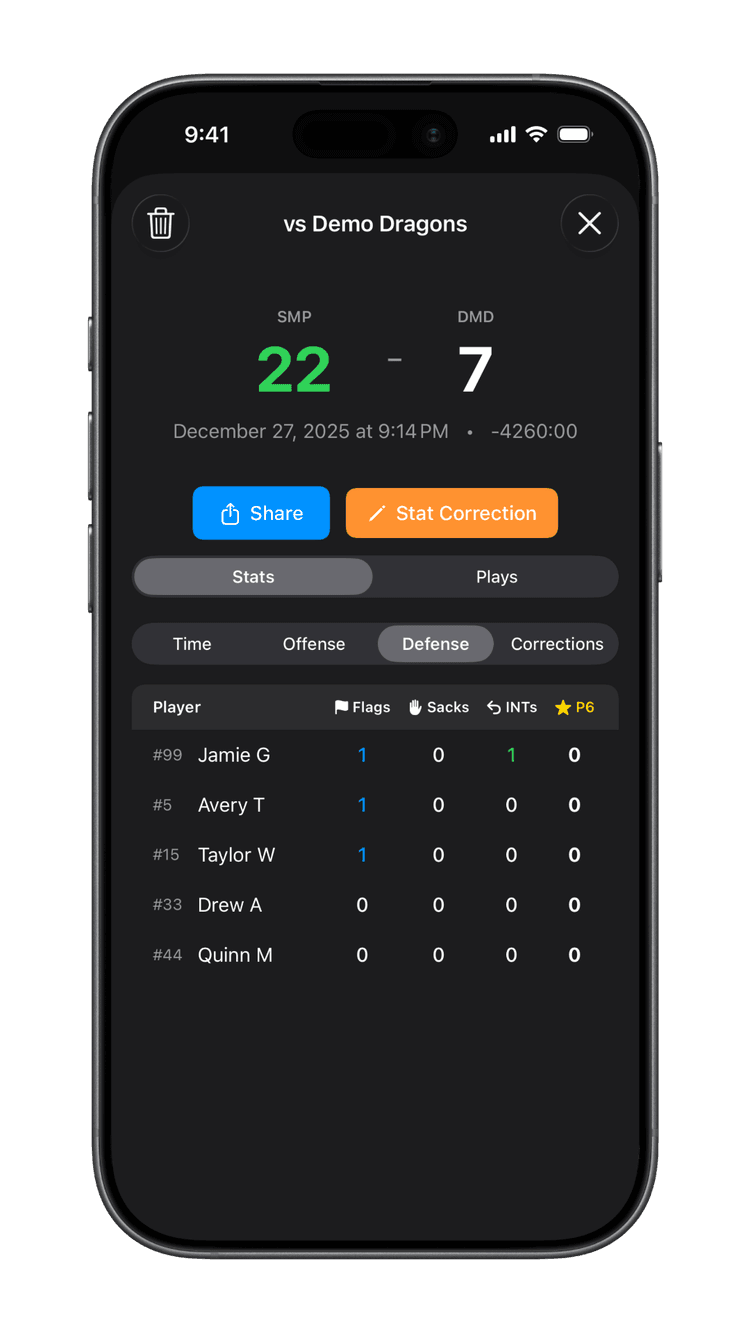
View detailed offensive stats (passing, receiving, rushing) and defensive stats (flags, interceptions) for every player.
You can also generate a PDF report of the game for easy sharing with other coaches and parents.
Tips for Game Day Success
- Set up your roster the night before the game
- Make sure your device is charged before you head to the field
- Practice with the app before your first game